Mastering Design Elegance with the Bonsai Tree Silhouettes Set
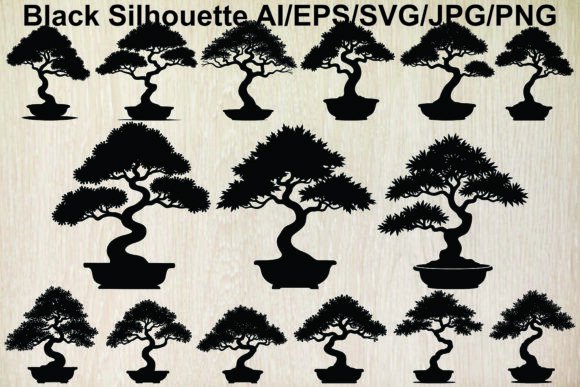
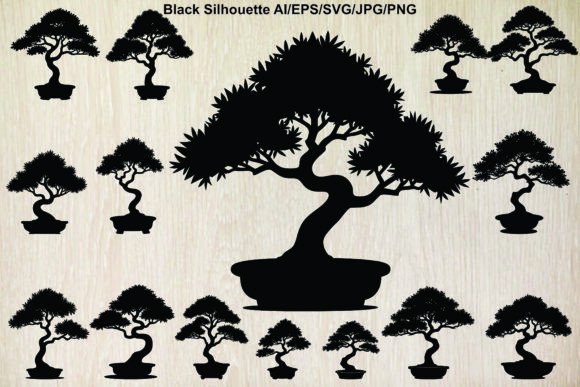
There is a specific kind of calm that comes from working with clean, intentional design elements. When you are building a brand identity, crafting a website, or printing custom stationery, the difference between a cluttered layout and a professional one often comes down to the quality of your graphic assets. This is where the Bonsai Tree Silhouettes Set becomes an invaluable resource for creators. This collection features fifteen distinct black bonsai tree silhouettes, each potted and isolated on a white background, offering a versatile toolkit for anyone looking to inject a sense of zen, tranquility, and organic growth into their projects.
However, simply downloading a bundle of vector art does not guarantee a successful outcome. Many designers, marketers, and small business owners make the mistake of treating all digital assets as interchangeable commodities. They rush to download, skip the technical checks, and apply the graphics without considering the context. To truly leverage the potential of this artistic plant collection, you need to approach the selection and implementation process with a bit more strategy. Let's walk through the common pitfalls users encounter when working with silhouette bundles and how you can avoid them to ensure your final output looks elegant and polished.
Misunderstanding File Formats and Usability
One of the most frequent errors beginners make involves the file formats included in digital bundles. The Bonsai Tree Silhouettes Set is comprehensive, providing five types of formats: JPG, PNG, AI, EPS, and SVG, all compressed into a single ZIP file. A common misconception is that any of these files will work equally well for every project. This is rarely the case.
For instance, if you are designing a large-scale banner or a logo that needs to be resized frequently, using the JPG or PNG versions is a mistake. These are raster images, meaning they are made of pixels. If you stretch them too large, they become blurry and pixelated, ruining the crisp lines that define the artistic representation of the bonsai. Instead, you should always reach for the AI, EPS, or SVG files for print and scalable web graphics. These are vector formats, which use mathematical paths to maintain perfect sharpness at any size.
Conversely, if you are quickly mocking up a social media post or need a transparent background for a presentation slide, the PNG file is your best friend. Using the JPG version here would leave you with an unsightly white box around the tree, requiring extra time in Photoshop to remove. By understanding which format serves which purpose, you save time and maintain high-quality standards in your work.
Neglecting the Extraction Process
Another overlooked detail occurs before you even open the design software. Since the entire collection is delivered as a compressed ZIP file, some users attempt to drag and drop files directly from the compressed folder without extracting them first. While some operating systems allow you to preview files this way, it often leads to corruption or software errors when you try to edit the vectors in programs like Adobe Illustrator.
To avoid frustration, take the extra minute to extract the contents properly. You can use built-in tools on your computer or reliable software like WinZip or WinRAR. Double-click the ZIP file and select "Extract All" to create a dedicated folder on your drive. This ensures that every file type, from the stylized tree vectors to the high-resolution PNGs, is fully accessible and ready for immediate use without technical glitches.
Overlooking Context and Stylistic Consistency
The beauty of this collection lies in its variety; there are fifteen different shapes, ranging from upright formal styles to cascading forms. However, a common design error is mixing these silhouettes with incompatible visual styles. Because these are stark black silhouettes representing natural beauty and Japanese garden aesthetics, they thrive in minimalist environments. Placing them against busy, colorful, or chaotic backgrounds can dilute their impact and make the design feel disjointed.
If you are creating a logo for a wellness center or a header for a blog about indoor plants, remember that the strength of a silhouette is its simplicity. Use plenty of white space (or negative space) to let the trunk, roots, and foliage breathe. Trying to force these elegant forms into a crowded layout often results in a loss of the very tranquility they are meant to convey. Think of the bonsai not just as a picture of a tree, but as a graphic element that dictates the mood of the entire page.
Failing to Check Licensing and Usage Rights
Perhaps the most critical step that entrepreneurs and freelancers skip is verifying the license terms. The good news with this specific bundle is that you can use these designs for any purpose. Whether you are a marketer creating ad campaigns, an educator making worksheets, or a hobbyist designing t-shirts for a local market, the freedom to use these assets is explicit.
Yet, many creators still hesitate or, conversely, assume restrictions that don't exist because they are used to reading fine print on other stock sites. Always confirm that the "any purpose" clause covers commercial use if you plan to sell products featuring these trees. In this case, it does. Knowing this allows you to move forward with confidence, integrating these decorative plants into client work or personal products without fear of copyright strikes or additional fees later on.
Maximizing the Artistic Potential
To get the most out of the Bonsai Tree Silhouettes Set, consider how you can manipulate the vector files beyond their default state. Since you have access to the AI and EPS files, you aren't stuck with just a solid black shape. You can ungroup the elements to adjust the thickness of branches, modify the pot shape to match your brand colors, or even combine multiple silhouettes to create a custom landscape scene.
For example, a wedding invitation designer might take one of the more delicate, stylized trees and change the color to a soft gold or sage green to match a theme, while keeping the organic structure intact. A web developer might animate the SVG files to create a subtle growing effect on a landing page. The key is to view these files as raw materials rather than finished, untouchable images.
Before finalizing any project, do a quick quality check. Zoom in to 200% or 300% to ensure the paths are smooth and there are no stray anchor points, especially if you have edited the vectors. Ensure that the contrast between the black silhouette and your chosen background is sufficient for readability. These small checks prevent embarrassing errors in print or poor user experiences on digital screens.
Ultimately, incorporating nature-inspired elements like these miniature tree representations can elevate your design work significantly. They bring a sense of balance and organic growth that resonates with audiences across various demographics. By avoiding the common traps of format confusion, improper extraction, and stylistic mismatch, you ensure that your use of this collection is both efficient and visually stunning. Whether you are decorating a digital space or enhancing a physical product, this bundle offers the flexibility and elegance needed to bring your creative vision to life.